LinkedIn Ad Library: how to see any company’s ads, and what it won’t tell you
The LinkedIn Ad Library shows the ads any company has run on LinkedIn Ads since June 2023. How to search it, how to read what it shows, and where it stops being enough for competitor research.
35%of 1,089 B2B software companies ran ads on LinkedIn Ads in the week of October 5, 2026

Romain GuyonFounder of Overt
Published 8 min read
Jump to section
In short
- The LinkedIn Ad Library, at linkedin.com/ad-library, is LinkedIn’s free, public search engine for ads. No account needed.
- It covers ads created on or after June 1, 2023. Each ad stays in it for one year after its last impression.
- Search by company or advertiser, payer, keyword, country and date range.
- Every ad shows its creative, format, advertiser and payer. Run dates, impressions and targeting appear only for ads targeted to the EU.
- It shows no spend, no clicks and no results, and keeps no record of how many ads a company runs from one week to the next.
What is the LinkedIn Ad Library?
The LinkedIn Ad Library is LinkedIn’s public archive of the ads served on its network. Anyone can search it, with or without a LinkedIn account, and advertisers can’t opt out: an ad that ran on LinkedIn Ads is in the library.
It covers ads created on or after June 1, 2023, the year the EU’s Digital Services Act started to apply to the largest platforms. The extra details it shows for ads targeted to the EU — when the ad ran, how many times it was seen, whom it was aimed at — match what the regulation requires an ad repository to publish.
Five rules worth knowing before the first search:
- When ads appear. An ad typically shows up shortly after its first impression.
- How long they stay. One year after their last impression. A campaign paused in March is still there in the fall; one switched off two years ago is gone.
- Dates. All dates are in UTC. The start date is the first impression, the end date the last one.
- Restricted ads. For some ads, LinkedIn hides the preview, the advertiser and the payer “to comply with the law”.
- What isn’t in it. Organic posts. Posts that creators label as brand partnerships have their own search, and paid job posts live in a separate Job Library.
How to open the LinkedIn Ad Library
- Directly. Go to linkedin.com/ad-library and type a company name.
- From a company page. Open the company’s LinkedIn page, go to the Posts tab, and find the card that reads “See a collection of active or past ads by…” in the left column. Its View ad library link opens the library already filtered on that company.
The second way avoids a common trap: several companies can share a name, and the link on the company page points to the right one.
How to search it, step by step
The search bar has five fields, plus a panel of extra filters.

- Company or advertiser. The LinkedIn page that runs the ads. The starting point for competitor research.
- Payer. The entity billed for the ad. It often differs from the advertiser: a subsidiary, a legal entity in another country, an agency. Searching by payer finds ads a group runs under several pages.
- Keyword. Searches the words in the ads. Useful to see every advertiser pushing the same message: a category term, a compliance standard, an event.
- Country. Limits the results to ads shown in one country.
- Date. Last 30 days, this month, this year, last year, or a custom range.
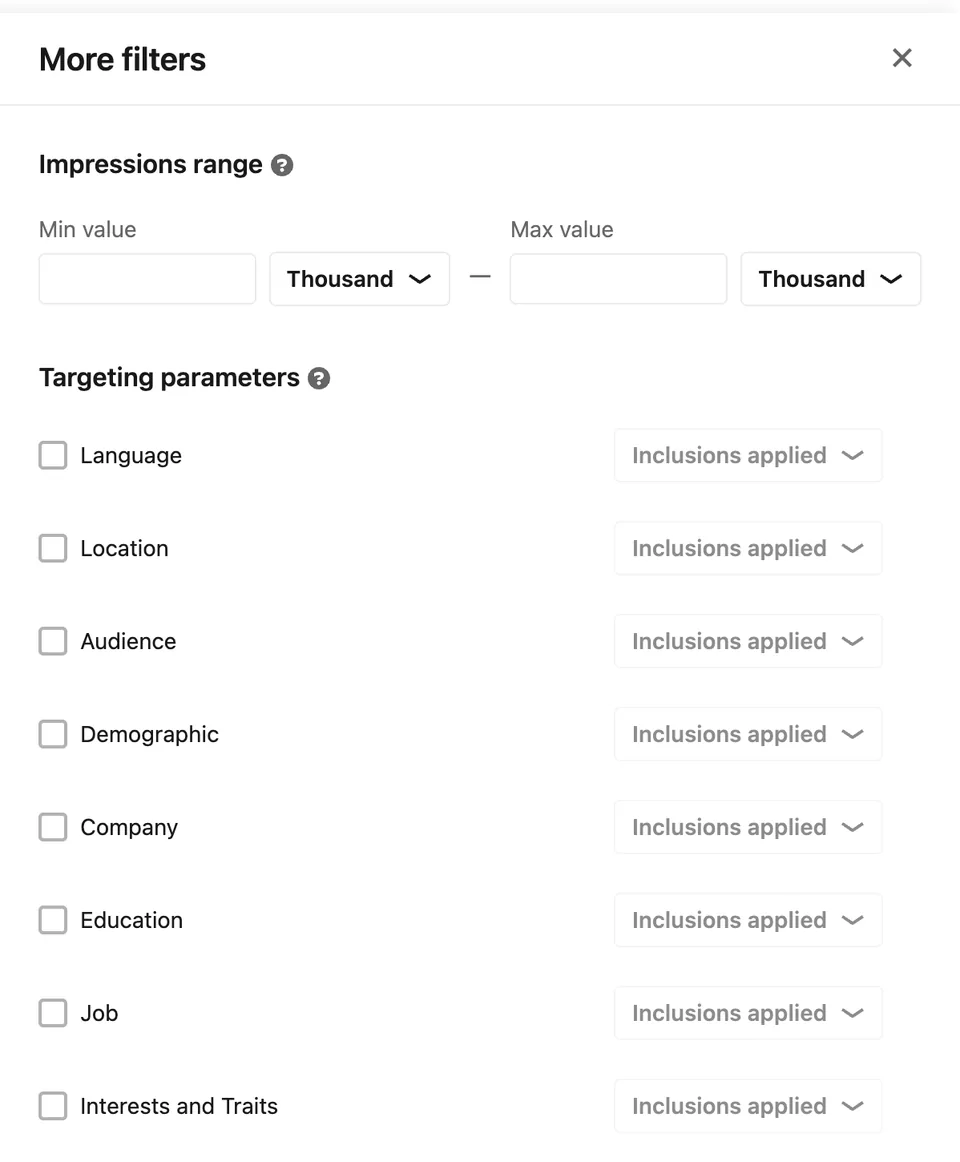
- More. Two filters that only apply to ads targeted to the EU: an impressions range, and targeting parameters — language, location, audience, demographic, company, education, job, interests and traits — each as included or excluded.
Results come as ad previews. Open one to reach its detail page, which carries everything the library knows about that ad.
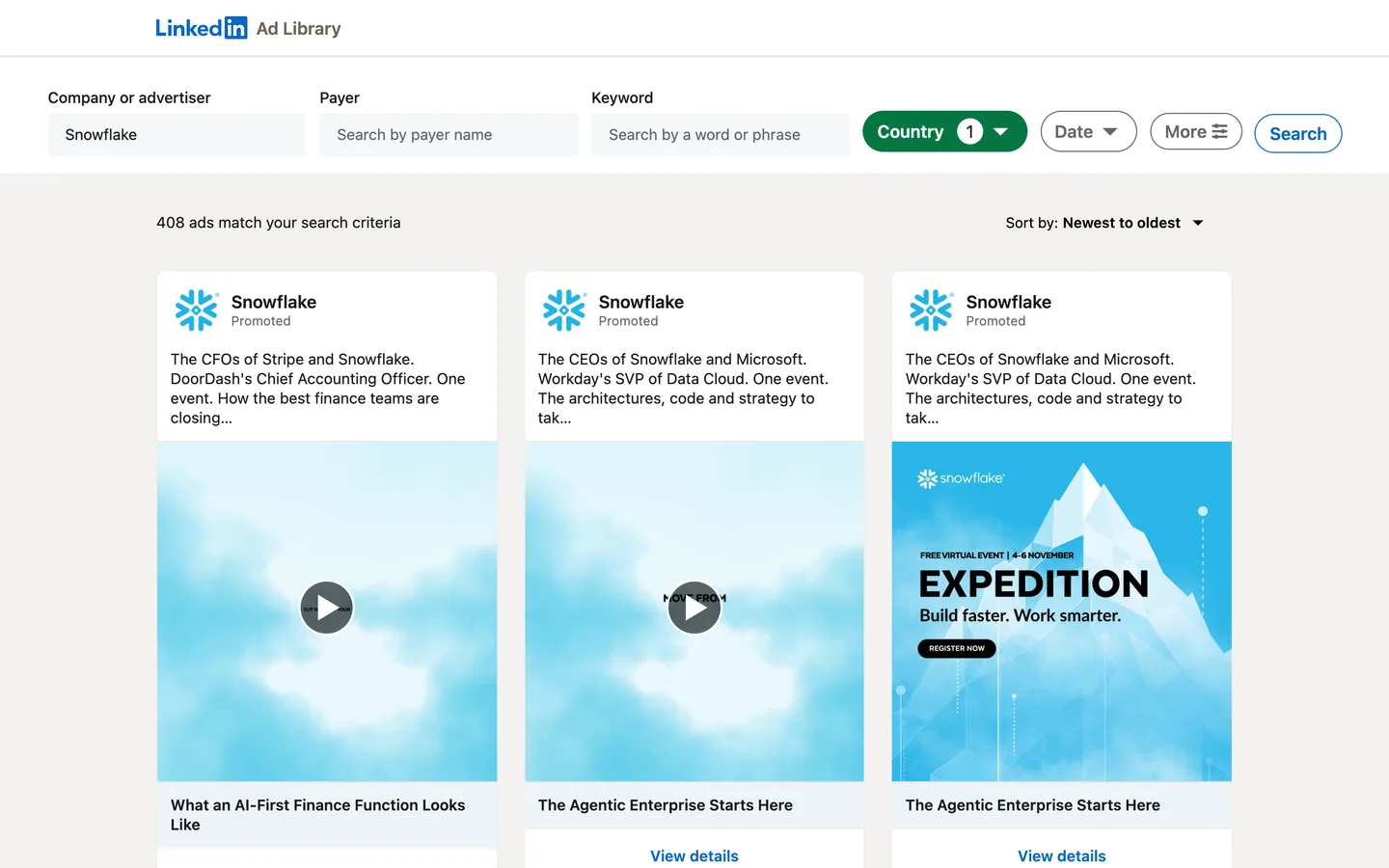
Once a search is filtered on a company, bookmark it: the filters live in the address, so one bookmark per competitor turns a weekly check into a few clicks.
What each ad shows
| Information | All ads | Ads targeted to the EU |
|---|---|---|
| The ad itself: text, image, video, carousel, document | Yes | Yes |
| Ad format | Yes | Yes |
| Advertiser and payer | Yes | Yes |
| Run dates (first and last impression) | No | Yes |
| Impressions, as a range, and their split by country | No | Yes |
| Targeting: language, locations, criteria used | No | Yes |
| Destination link | No | Yes |
| Spend, clicks, engagement, results | No | No |
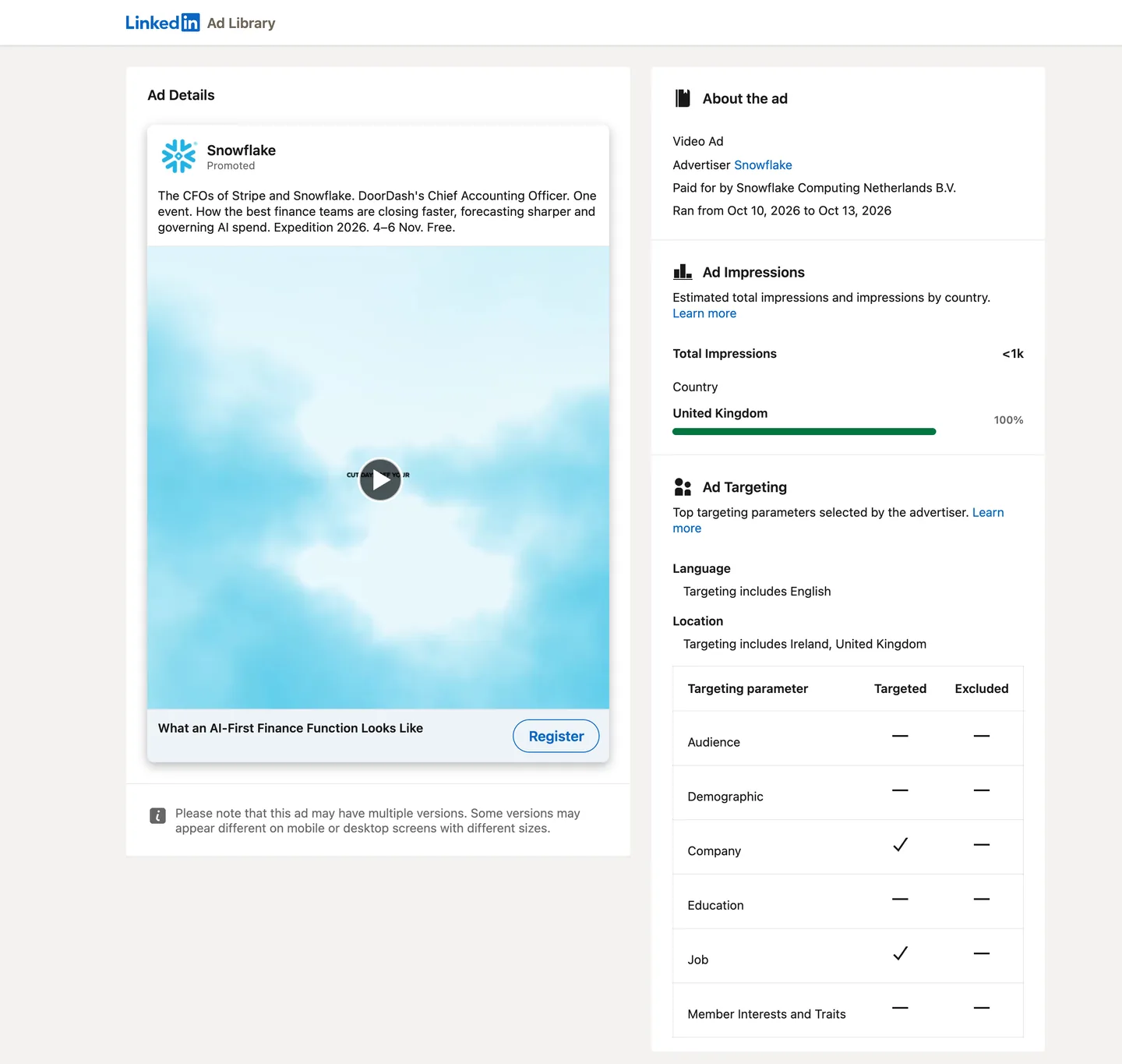
Three details change how to read the EU details:
- They depend on targeting, not on where the ad was seen. A campaign whose targeting includes EU locations gets them, even if most of its impressions landed in the United States. The list of locations can be long: the page shortens it to “and N others”.
- Targeting shows which criteria were used, not their values. LinkedIn presents them as the “top targeting parameters selected by the advertiser”. The page lists the language and the locations, and marks each criterion — audience, demographic, company, education, job, interests and traits — as used or excluded, without saying which job titles or which companies.
- The destination link often carries the advertiser’s UTM parameters. Campaign names such as “prospecting” or “retargeting” tell which stage of the funnel an ad serves.
What the LinkedIn Ad Library doesn’t tell you
The library answers “what is this company running?”. It doesn’t answer the questions that usually come next.
- How much they spend. No budget, no bids, no cost.
- How the ads perform. No clicks, no engagement, no conversions. Impressions only as a range, and only for ads targeted to the EU.
- Whom they target, precisely. Criteria, not values.
- How their activity changes. The library lists ads; it doesn’t count them over time. Nothing says whether a company ran 40 ads last week and 120 this week.
- What changed since last week. No alert when a competitor launches a campaign or switches one off. New and stopped ads have to be spotted by eye.
- How their ads break down by format. No count of videos, single images or documents at a glance.
- More than one company at a time. No side-by-side view, and no export.
- Anything older than a year after the last impression. The library is a rolling window, not an archive.
- Other ad platforms. Google Ads and Microsoft Ads publish their own ad repositories, each with its own coverage: see the Google Ads library, and how to see a competitor’s ads on all three platforms.
Why checking by hand stops scaling
How long a manual check takes depends on how many ads a company runs, and that number varies by orders of magnitude. In the week of October 5, 2026, across 1,089 B2B software companies:
Source: Overt, active ads on LinkedIn Ads in the week of October 5, 2026, across 1,089 B2B software companies, mostly venture-backed.
Fifteen ads can be read in a few minutes. Two hundred, every week, for every competitor — while remembering which ones were already there the week before — is a job. Nine companies in that sample ran more than 1,000 ads each in a single week.
A weekly routine with the LinkedIn Ad Library
For a handful of competitors with modest volumes, a manual routine works.
- List the competitors and bookmark the library search of each, filtered on the company.
- Pick a fixed day. Monday works: the previous week is complete. Filter on the last 30 days.
- Note what is new: creatives, offers, calls to action, formats. Screenshot what matters, since ads leave the library a year after their last impression.
- Open the ads targeted to the EU. Run dates show what launched and what stopped, targeting criteria show whom they aim at, UTM parameters show the funnel stage.
- Keep a sheet, one row per competitor and per week, with the number of ads and what changed. That sheet is the history the library doesn’t keep.
Step 5 is where the routine usually breaks: counting the ads and keeping the series straight takes longer than reading them.
LinkedIn Ad Library vs. Overt
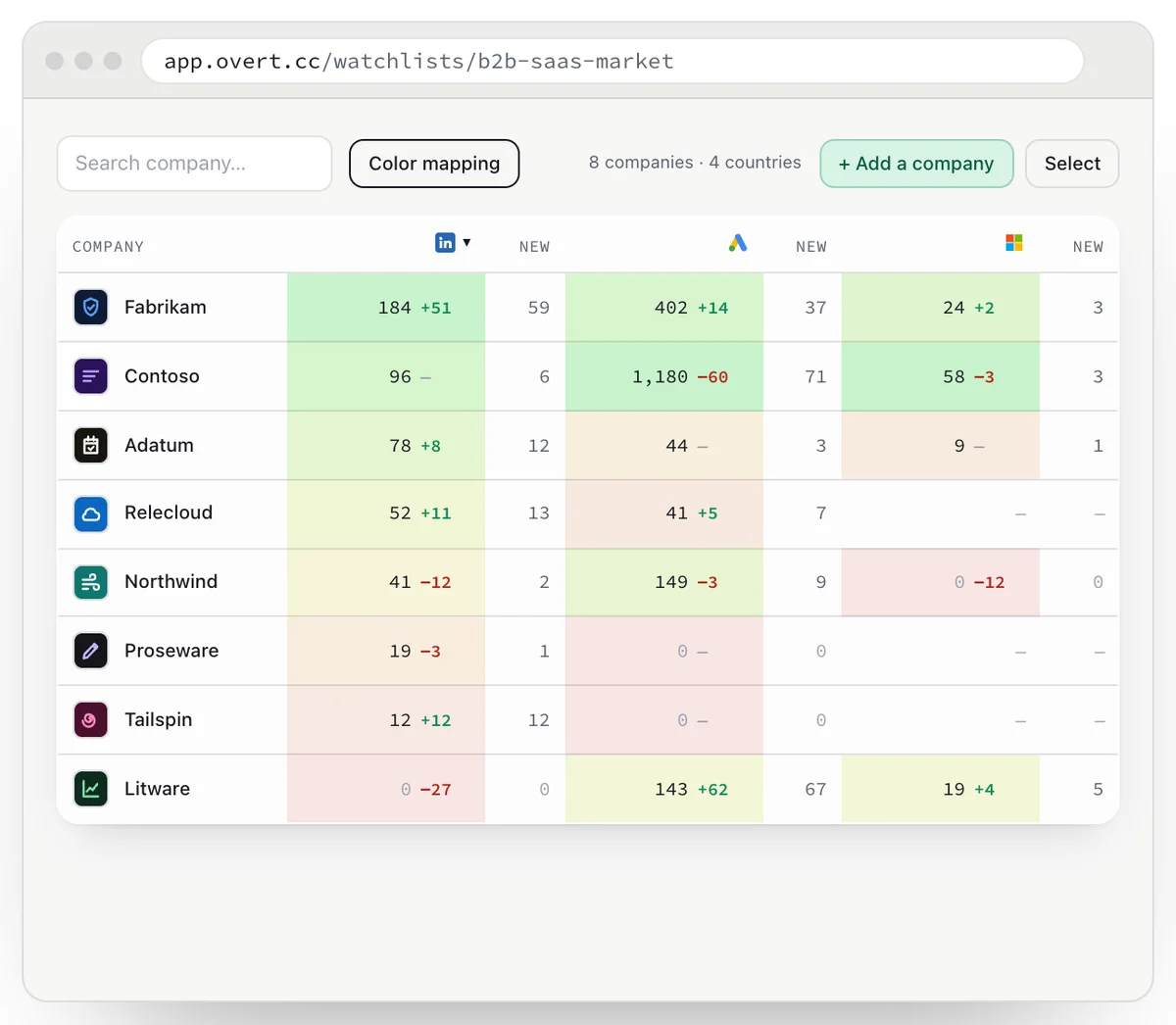
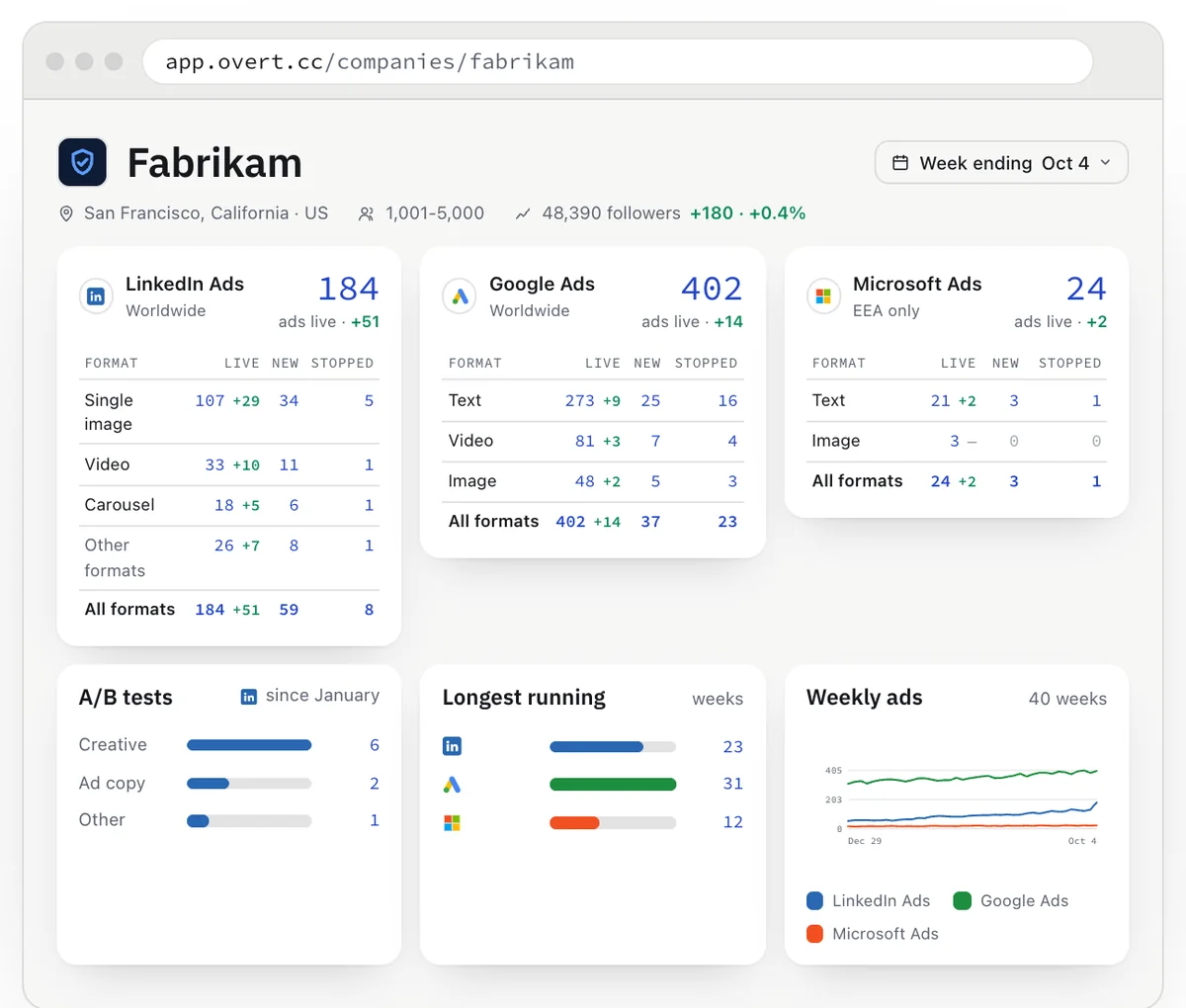
Overt follows the companies you choose, every week, on LinkedIn Ads, Google Ads and Microsoft Ads. The library stays the right tool to search every advertiser on LinkedIn; Overt is built to follow the ones that matter to you.
| LinkedIn Ad Library | Overt | |
|---|---|---|
| Price | Free | Free for 5 companies · Plus from €15 / month excl. VAT |
| Ad platforms | LinkedIn Ads | LinkedIn Ads, Google Ads, Microsoft Ads |
| Search every advertiser on LinkedIn | Yes | No, the companies you follow |
| A company’s current ads | Yes | Yes |
| Weekly ad count, with its history | No | Yes, since January 2026 |
| Ads by format | No | Yes |
| New, longest-running and stopped ads | No | Counted in Free, every ad in Plus |
| A/B tests | No | Plus |
| Several companies side by side | No | Yes |
| Spend and performance | No | No |
A week that could not be measured is never shown as a zero: Overt says it is missing.
Follow your competitors’ ads, every week.
Free for 5 companies. No card required.
Frequently asked questions
Does LinkedIn have an ad library?
Yes. The LinkedIn Ad Library, at linkedin.com/ad-library, lists the ads that ran on LinkedIn Ads since June 1, 2023. It is free and works without a LinkedIn account.
How far back does the LinkedIn Ad Library go?
To ads created on or after June 1, 2023. Each ad stays in the library for one year after its last impression, so ads that stopped longer ago drop out.
Can you see how much a company spends on LinkedIn Ads?
No. The LinkedIn Ad Library shows no spend, budget or bids. For ads targeted to the EU, it shows impressions as a range.
Why do some ads show no dates, impressions or targeting?
LinkedIn publishes those details only for ads targeted to the EU. An ad whose targeting includes EU locations gets them, wherever most of its impressions landed.
How fast do new ads appear in the LinkedIn Ad Library?
According to LinkedIn, an ad typically appears shortly after its first impression.
How do you track a competitor’s ads on LinkedIn Ads over time?
The library keeps no count over time. Either check it on a fixed day each week and log the number of ads and what changed, or use a tool that does it: Overt counts the ads of every company you follow each week, by format, on LinkedIn Ads, Google Ads and Microsoft Ads.
Terms used in this guide
- Digital Services Act
- The EU regulation (Regulation (EU) 2022/2065) that requires the largest online platforms, LinkedIn among them, to publish a searchable repository of the ads they show: on whose behalf each ad ran, who paid for it, when it ran, the main parameters used to target it, and how many people it reached in each EU country.
- Payer
- The legal entity billed for an ad, shown as “Paid for by” in the LinkedIn Ad Library. It can differ from the advertiser whose page runs the ad: a subsidiary, a legal entity in another country, an agency.
- Ad targeted to the EU
- An ad whose targeting includes locations in the European Union. For these ads only, the LinkedIn Ad Library publishes the run dates, the impressions by country, the targeting and the destination link.
- UTM parameters
- Tags added to a link — utm_source, utm_medium, utm_campaign — so that analytics tools can tell which campaign a visit came from. Advertisers name them themselves, so they often reveal what a campaign is for.
Sources
- LinkedIn Help, LinkedIn Ad Library.
- LinkedIn, Ad Library, frequently asked questions.
- Regulation (EU) 2022/2065, Digital Services Act, Article 39.
- Overt, active ads on LinkedIn Ads, week of October 5, 2026.
Romain Guyon is the founder of Overt, and runs paid media for B2B software companies.