Google Ads library: how to see any company’s Google ads
Google’s ad library is called the Ads Transparency Center. How to search it, what each ad shows inside and outside Europe, what it never shows, and how to follow your competitors’ Google ads every week.
44%of 1,249 companies ran ads on Google Ads in the week of October 5, 2026

Romain GuyonFounder of Overt
Published 10 min read
Jump to section
In short
- Google’s ad library is the Google Ads Transparency Center, at adstransparency.google.com. It is free and needs no account.
- It holds the ads of verified advertisers on Google Search, YouTube, Google Maps, Google Play and Google Shopping, until one year after they were last shown. In Europe and Türkiye, unverified advertisers’ ads too.
- Search by advertiser name or by website, then filter by region, date, platform and format.
- Outside Europe, an ad shows little more than when it was last shown and its format. Shown in Europe, it also shows when it started, how many times it was shown and which kinds of audience criteria were used.
- It shows no spend, no clicks, no keywords, no landing page, and no count of a company’s ads from one week to the next.
What is the Google Ads library?
Google launched the Ads Transparency Center on March 29, 2023, as “a searchable hub of all ads served from verified advertisers”. It built on two earlier programs: the verification of election advertisers, from 2018, and the verification of every advertiser’s identity, from 2020. A month later, the EU designated Google Search, YouTube, Google Maps, Google Play and Google Shopping as very large services under the Digital Services Act, and in August 2023 Google added the targeting details the regulation requires for ads shown in the EU.
Six rules worth knowing before the first search:
- What is in it. Ads from verified advertisers on Google Search, YouTube, Google Maps, Google Play and Google Shopping, plus the ads of unverified advertisers in Europe and Türkiye. Display-style image ads appear too.
- How long ads stay. One year after the day an ad was last shown. Election ads stay up to seven years.
- When ads appear. 48 to 72 hours after they start.
- Dates. All dates are in Pacific Time.
- Age-restricted ads. Shown only to visitors signed in to a Google account.
- Political ads. Behind their own toggle, with spend figures the rest of the library doesn’t have.
How to search it, step by step
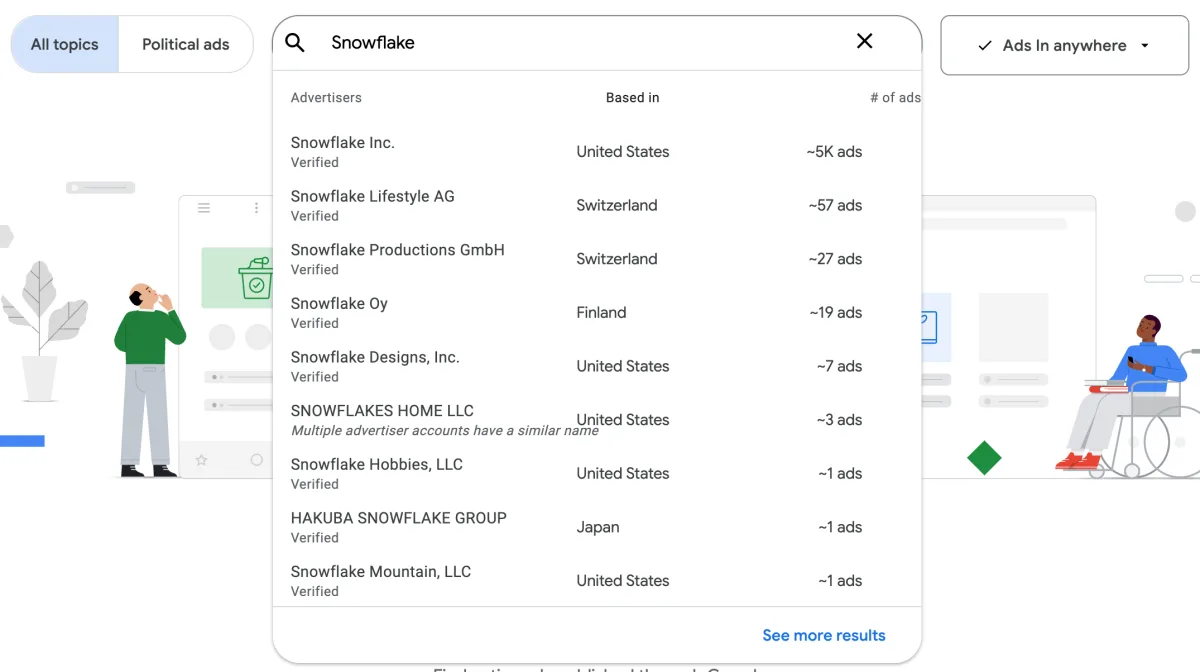
- Type a name or a website. Suggestions come in two groups, advertisers and websites. Each advertiser shows the country it is based in, whether it is verified, and an approximate number of ads. Several advertisers often share a name, and Google flags some of them: “Multiple advertiser accounts have a similar name”.
- Pick the region. The “Ads in” menu starts on “Anywhere”. Choose a country, or Europe as a whole. The region changes everything that follows: the list, the ad count, and the details of each ad.
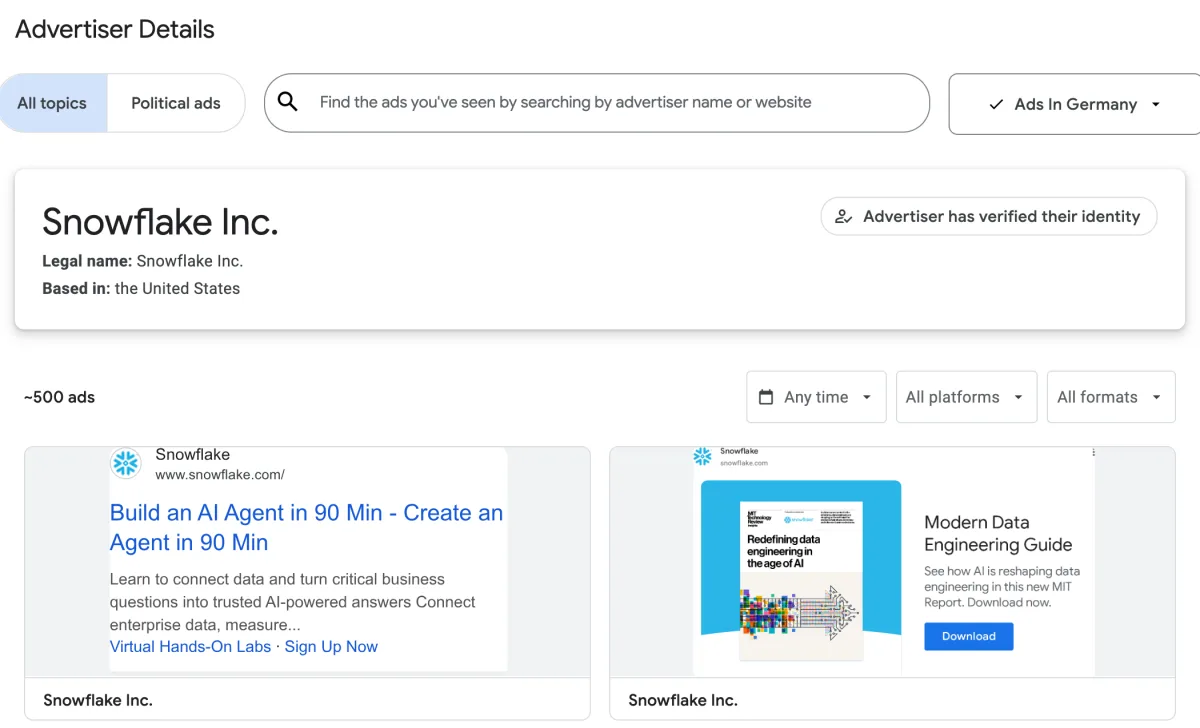
- Open the advertiser. Its page shows its legal name, its country and its verification, then an approximate number of ads in the selected region, and the ads themselves.
- Narrow the results with three filters: date (today, yesterday, the last 7 or 30 days, any time, or a custom range), platform (Google Search, YouTube, Google Maps, Google Play, Google Shopping) and format (text, image, video).
The approximate count depends on the region: for one large software advertiser, about 5,000 ads anywhere, about 500 in Germany and about 200 in Ireland. Read it as an order of magnitude, never as a total to compare from week to week.
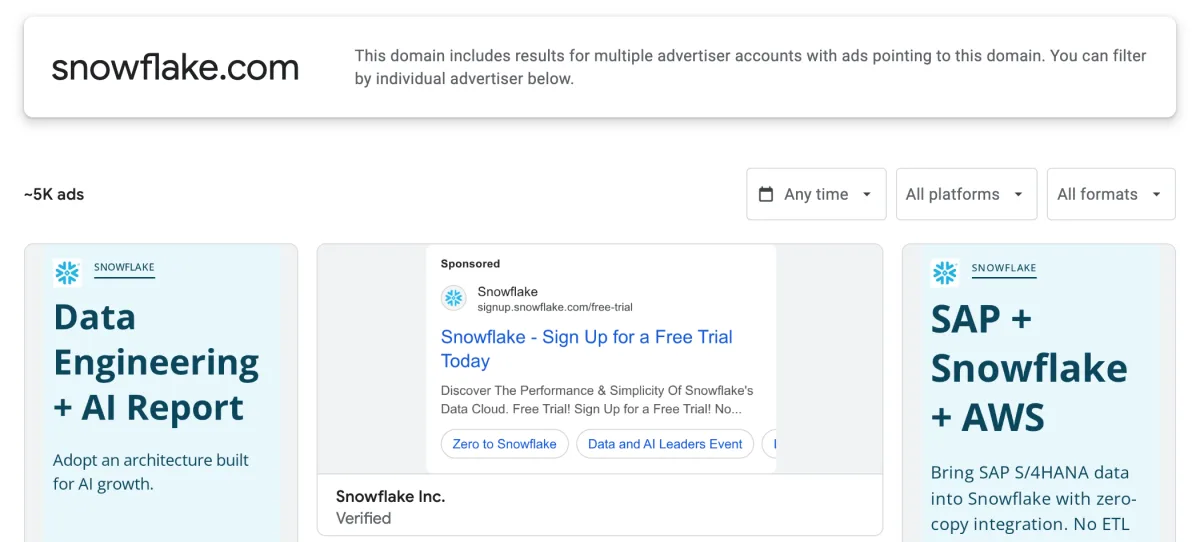
Search by website as well as by name. A website search lists every ad that leads to the domain, whichever account runs it: subsidiaries, regional entities, resellers. When several accounts are involved, Google says so and lets you filter by advertiser.
The advertiser and the region live in the address, so one bookmark per competitor turns the weekly check into a few clicks.
What each ad shows
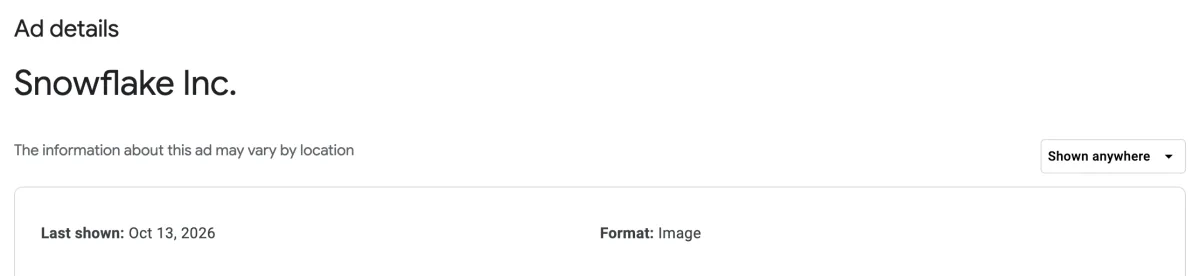
Open an ad to reach its detail page. What it contains depends on the region selected at the top right of the page.
| Information | Region “Anywhere” or outside Europe | Ads shown in Europe |
|---|---|---|
| The ad itself, with up to five variations | Yes | Yes |
| Format and last day shown | Yes | Yes |
| First day shown | No | Yes |
| Topic, labelled by Google | No | Yes |
| Times shown, as a range, and by platform | No | Yes, 90 days late |
| Kinds of audience criteria used | No | Yes, without their values |
| Landing page | No | No |
| Spend, clicks, keywords | No | No |
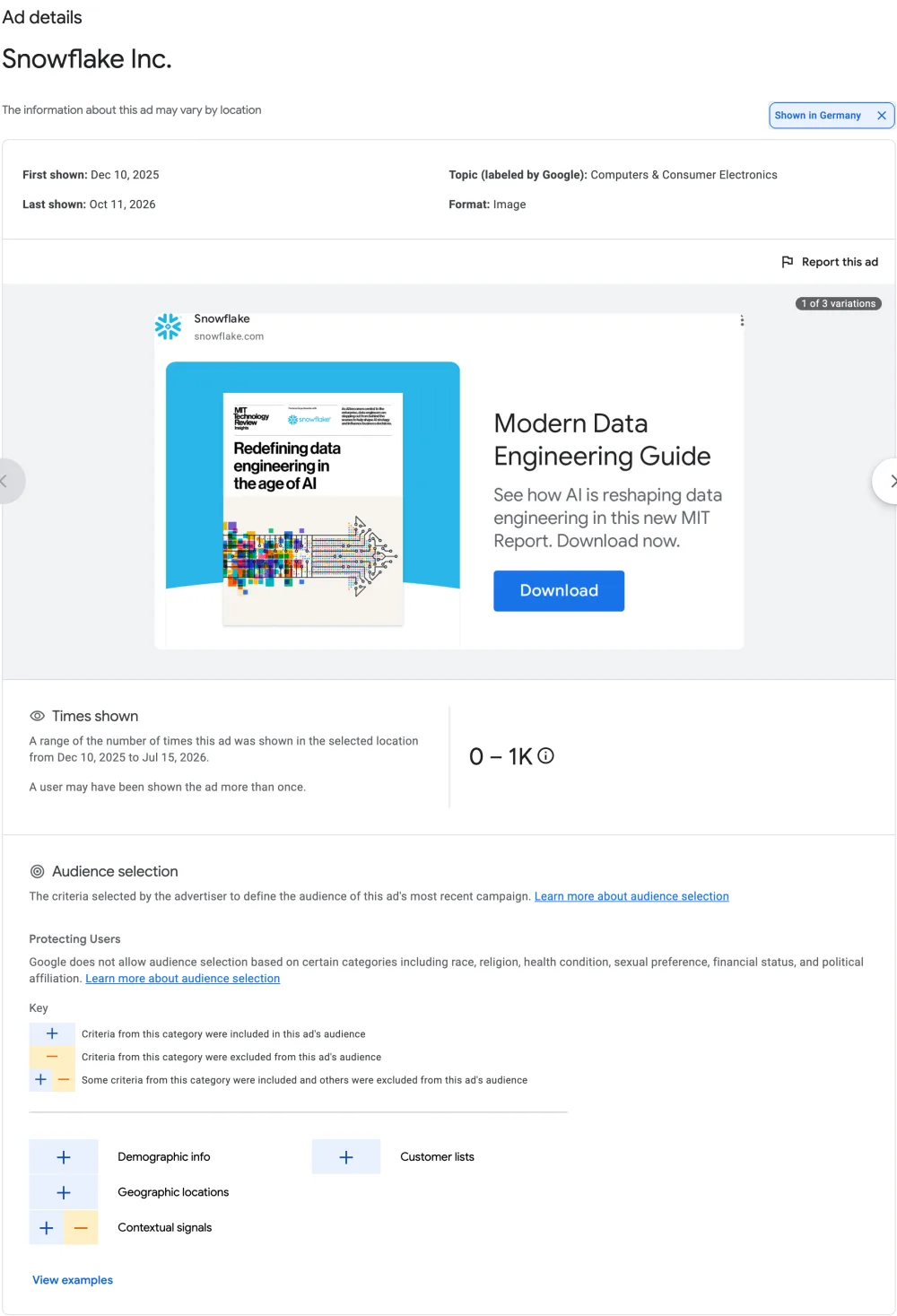
Four details change how to read it:
- Pick a European country to see more. The “Shown in” menu of an ad lists the countries where it ran; select one in the European Economic Area, or Europe, to unlock the dates, reach and targeting.
- Times shown arrive 90 days late. Google publishes the range of impressions after a 90-day delay, counted since March 1, 2023; a recent ad says when its data will appear.
- Audience criteria are categories, not values. Demographic info, geographic locations, contextual signals, customer lists and topics of interest are each marked as included, excluded or both. A plus next to contextual signals says keywords or content were used, never which ones.
- Topics are labelled automatically, and can be off. One software company’s ad for an AI agent workshop is filed under “Hobbies, Games & Leisure”.
What the Google Ads library doesn’t tell you
- How much they spend. Spend is published for election ads only.
- How the ads perform. No clicks, no click-through rate, no conversions. Impressions only as a range, only for Europe and Türkiye, and three months late.
- Which keywords they buy. Only whether keywords or content were part of the targeting.
- Where the ads lead. Ads can’t be clicked through to their landing page, and Google is moving them to static screenshots.
- Who runs the account. The library shows the advertiser, never the agency that runs its ads; one brand can sit behind several accounts.
- How their activity changes. The ad count is an approximation that moves with the region filter. Nothing says whether a company ran 40 ads last week and 120 this week.
- What changed since last week. No alert when a competitor launches or stops a campaign.
- Other ad platforms. LinkedIn Ads and Microsoft Ads keep their own libraries: see how to see your competitors’ ads on all three.
Why checking by hand stops scaling
On Google Ads, the number of ads a company runs varies even more than on LinkedIn Ads. In the week of October 5, 2026, across 1,249 companies, most of them B2B software companies:
Source: Overt, active ads on Google Ads in the week of October 5, 2026, across 1,249 companies.
Fourteen ads take a few minutes to read. A few hundred, every week, for every competitor, in each region that matters, while remembering which ones were there the week before, is a job.
A weekly routine with the Google Ads library
- List the competitors with their websites, and bookmark one search per competitor: by website, region set to the market you care about.
- Pick a fixed day. Monday works: the previous week is complete. Filter on the last 7 days.
- Note what is new: offers, headlines, calls to action, formats, YouTube videos. Screenshot what matters.
- Open the ads shown in Europe for their run dates, their reach and the kinds of audience criteria they use.
- Keep a sheet, one row per competitor and per week, with the number of ads and what changed. That sheet is the history the library doesn’t keep.
Step 5 is where the routine usually breaks: the approximate count moves with the region, and keeping a clean series takes longer than reading the ads.
Google Ads library vs. Overt
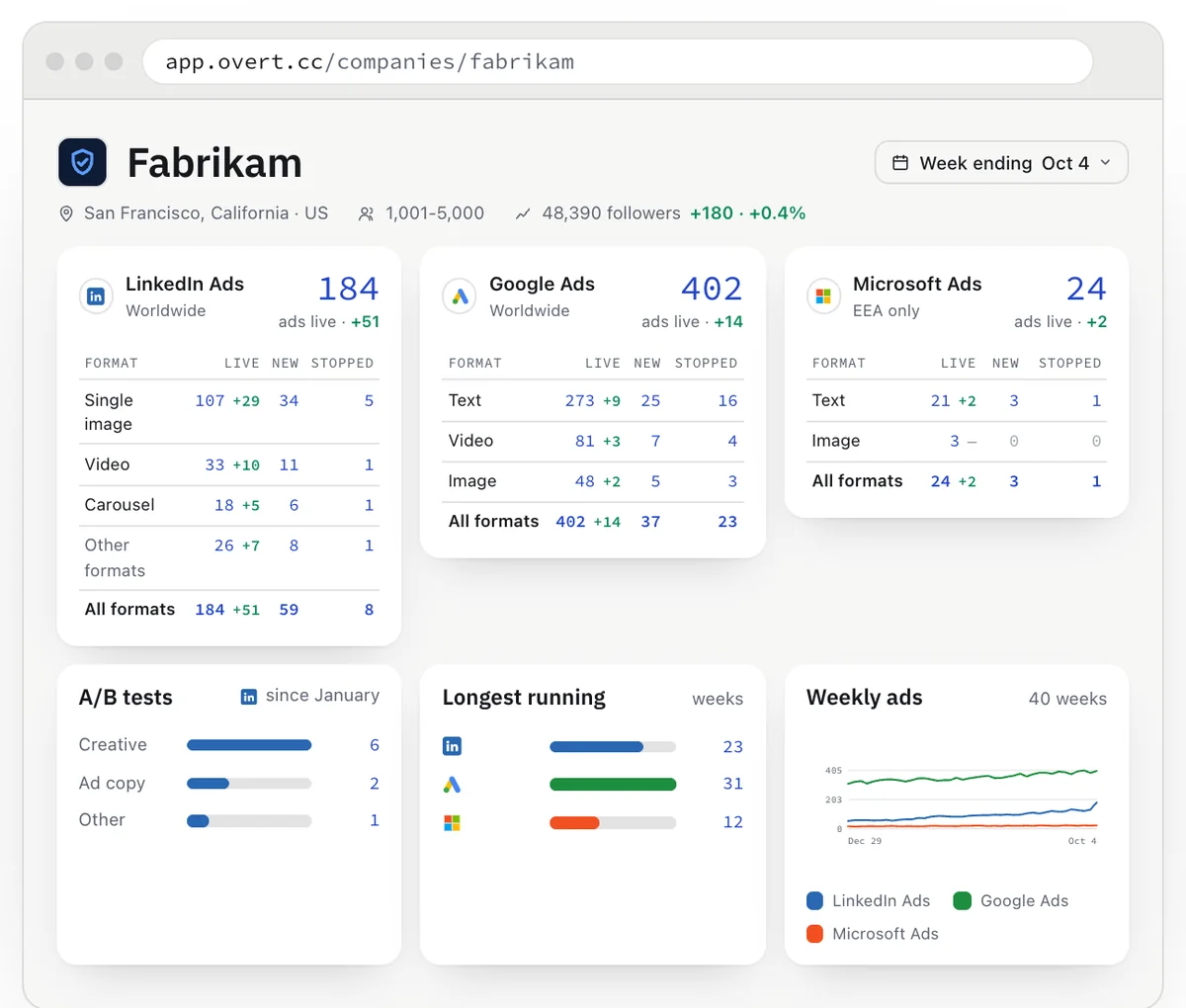
Overt follows the companies you choose, every week, on Google Ads, LinkedIn Ads and Microsoft Ads. The library stays the right tool to look up any advertiser on Google; Overt is built to follow the ones that matter to you.
| Google Ads library | Overt | |
|---|---|---|
| Price | Free | Free for 5 companies · Plus from €15 / month excl. VAT |
| Ad platforms | Google Ads | Google Ads, LinkedIn Ads, Microsoft Ads |
| Search every advertiser on Google | Yes | No, the companies you follow |
| A company’s current ads | Yes | Yes |
| Weekly ad count, with its history | No | Yes, since January 2026 |
| Ads by format | No | Yes |
| New and stopped ads | No | Yes |
| Several companies side by side | No | Yes |
| Spend and performance | No | No |
Follow your competitors’ ads, every week.
Free for 5 companies. No card required.
Frequently asked questions
Does Google have an ad library?
Yes. Google’s ad library is the Google Ads Transparency Center, at adstransparency.google.com. It holds the ads of verified advertisers on Google Search, YouTube, Google Maps, Google Play and Google Shopping, plus every advertiser’s ads in Europe and Türkiye, until one year after they were last shown.
How do I see a competitor’s Google ads?
Search the competitor’s name or website in the Google Ads Transparency Center, pick a region, then filter by date, platform and format. Searching by website also finds the ads other accounts run toward the same domain. To follow several competitors every week, use a tool such as Overt.
Can I see which keywords a competitor bids on?
No. The Google Ads Transparency Center only says, for ads shown in Europe, whether contextual signals such as search keywords were part of the targeting, never which keywords.
How long do ads stay in the Google Ads Transparency Center?
One year after the day an ad was last shown. Election ads stay up to seven years. New ads appear 48 to 72 hours after they start.
Why do some Google ads show more details than others?
Because of the EU’s Digital Services Act. Ads shown in the European Economic Area, and in Türkiye, also show their first day shown, a range of times shown and the kinds of audience criteria used. Select a European country in the region menu to see them.
Can I see how much a competitor spends on Google Ads?
No. The Google Ads Transparency Center publishes spend for election ads only. For other ads, it shows no spend, no clicks and no conversions.
Terms used in this guide
- Verified advertiser
- An advertiser that has confirmed its identity to Google. The library shows its legal name and the country it is based in, with a “verified” label; unverified advertisers appear under the name of their payment profile.
- Digital Services Act
- The EU regulation (Regulation (EU) 2022/2065) whose Article 39 requires very large online platforms and search engines that show ads to publish a searchable repository of them, with who paid, when they ran, their main targeting parameters and their reach by country.
- Contextual signals
- In Google’s audience selection, targeting based on what people do at the moment: the keywords they search for on Google, or the content of the YouTube video they watch.
Sources
- Google, Announcing the launch of the new Ads Transparency Center, March 29, 2023.
- Google, Ads Transparency Center, frequently asked questions.
- Google Advertising Policies Help, About the Ads Transparency Center.
- Google, Complying with the Digital Services Act, August 24, 2023.
- European Commission, Designation of very large online platforms and search engines, April 25, 2023.
- Regulation (EU) 2022/2065, Digital Services Act, Article 39.
- Overt, active ads on Google Ads, week of October 5, 2026, across 1,249 companies.
Romain Guyon is the founder of Overt, and runs paid media for B2B software companies.